
Image Generation
Authentication
Get a key from https://api.solvid.xyz (coming soon)
Use the key as Bearer token to call any of the API endpoints
Authorization: Bearer <solvid_api_key>Downloading an image
Shell
curl -o image.jpg https://example.com/image.jpgAspect Ratio and Model
For all your requests, you can specify the aspect ratio you want and also the model to be used.
Aspect ratio
You can choose between the following aspect ratios:
1:1
3:4
4:3
9:16
16:9 (default)
9:21
21:9
To use it, simply include a new key under your payload:
Model
You can choose from our two model versions:
photon-1 (default)
photon-flash-1
To use it, simply include a new key under your payload:
Text to Image
Shell

With aspect ratio and model
Shell

Image Reference
☁️Image URLYou should upload and use your own cdn image urls, currently this is the only way to pass an image
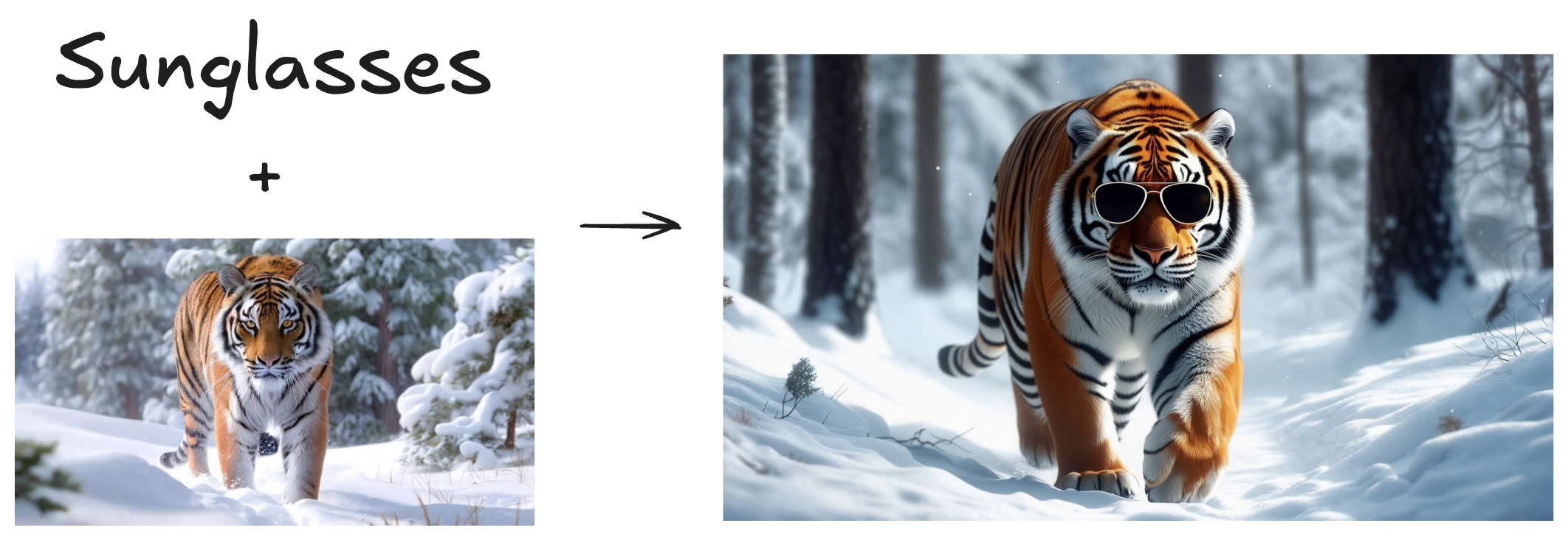
This feature allows you to guide your generation using a combination between images and prompt. You can use up to 4 images as references. This feature is very useful when you want to create variations of an image or when you have a concept that is hard to describe, but easy to visualize. You can use the weight key to tune the influence of the images.
Shell
Style Reference
☁️Image URLYou should upload and use your own cdn image urls, currently this is the only way to pass an image
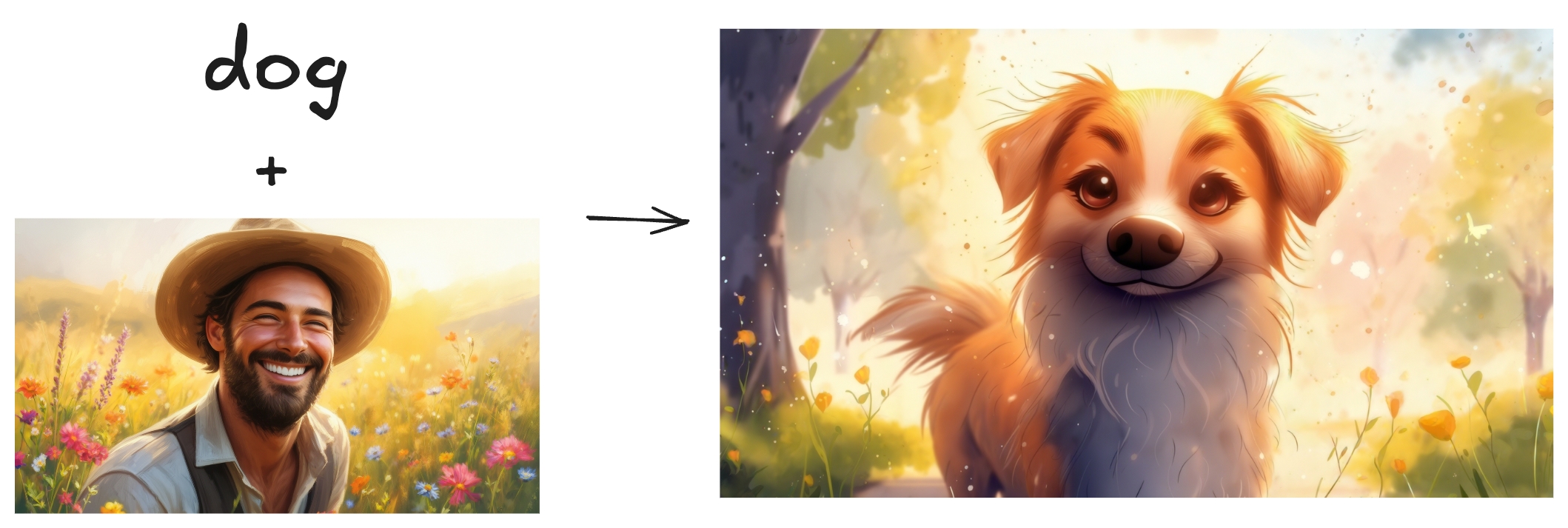
As the name suggests, this feature is used when you want to apply an specific style to your generation. You can use the weight key to tune the influence of the style image reference.
Shell
Character Reference
☁️Image URLYou should upload and use your own cdn image urls, currently this is the only way to pass an image
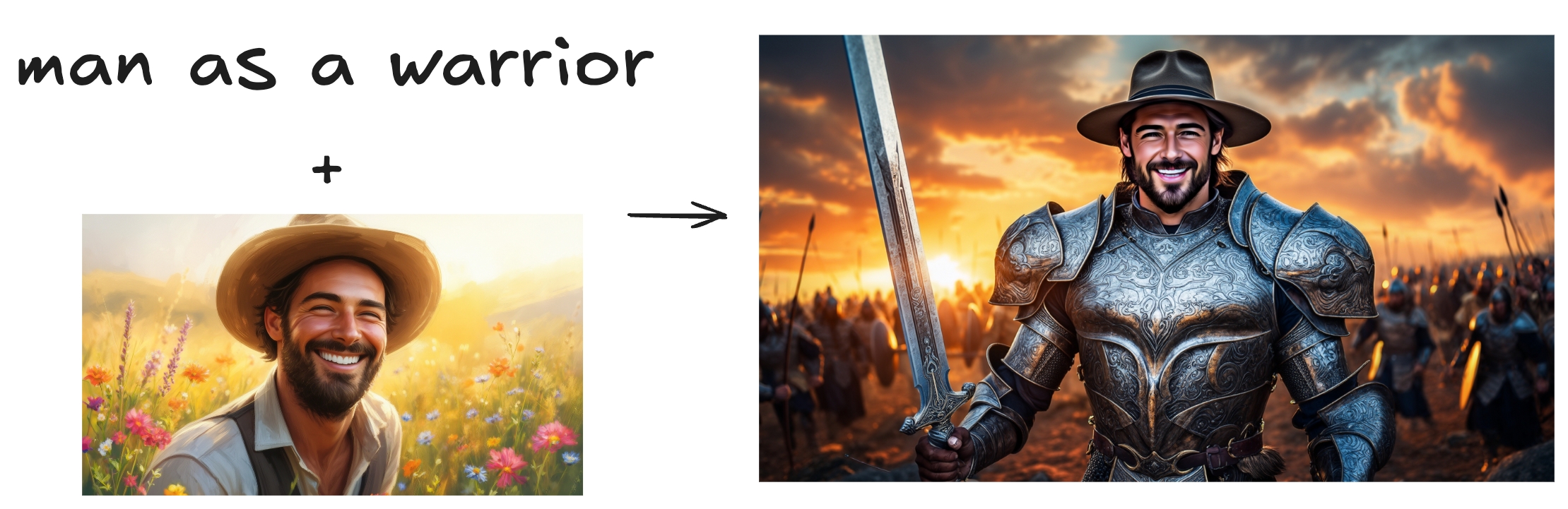
Character Reference is a feature that allows you to create consistent and personalized characters. Below, you can see how to use it. One thing important to say is that you can use up to 4 images of the same person to build one identity. More images, better the character representation will be.
Shell
Modify Image
☁️Image URLYou should upload and use your own cdn image urls, currently this is the only way to pass an image
🚧Changing colors of imagesThis feature works really well to change objects, shapes, etc. But when it comes to changing colors, it is harder to get it right. One recommendation is to use a lower
weightvalue, something between 0.0 and 0.1.
Modify feature allows you to refine your images by simply prompting what change you want to make. You can use the weight key to specify the influence of the input image. Higher the weight, closer to the input image but less diverse (and creative).
Shell

Generations
Get generation with id
Shell
List all generations
Shell
Delete generation
Shell
Example Response
Shell
How to get a callback when generation has an update
It will get status updates (dreaming/completed/failed)
It will also get the image url as part of it when completed
It's a
POSTendpoint you can pass, and request body will have the generation object in itIt expected to be called multiple times for a status
If the endpoint returns a status code other than 200, it will be retried max 3 times with 100ms delay and the request has a 5s timeout
example
Shell
Last updated